⇧⌘V
Everything you copy
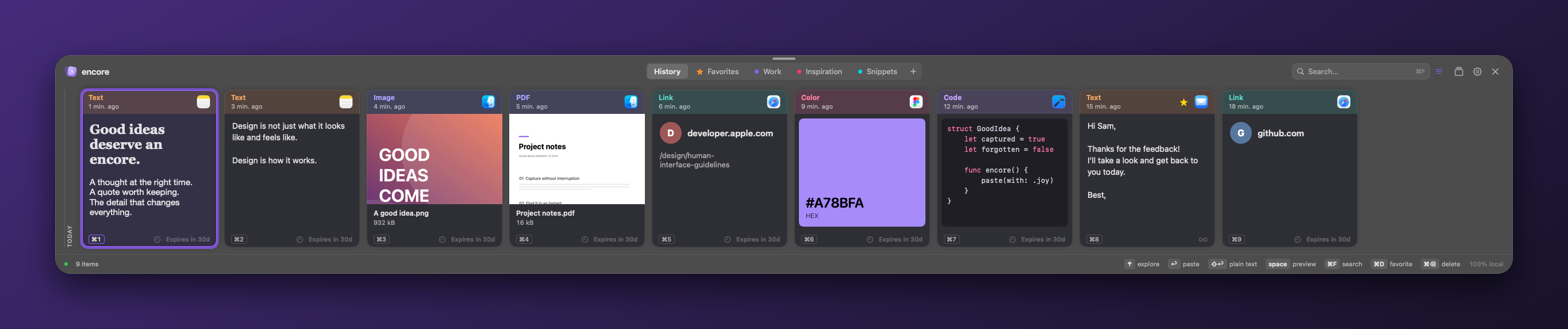
Press ⇧⌘V in any app. Your recent copies slide up as cards you recognize at a glance: an image is an image, a color is a color. Return pastes it right where you were.
 encore
encore keeps everything you copy on your Mac and gives it back in a keystroke. Free, open source, and nothing leaves your machine.
For macOS 12 and later, on Apple Silicon and Intel.
Or with Homebrew
brew install --cask kamasoutra/tap/encorePress ⌘S on any card: a name, a language (encore guesses it among 85) and tags. Placeholders like {{name}} ask for a value before pasting. Your snippets and favorites stay in step between your paired Macs.
Press ⇧⌘V in any app. Your recent copies slide up as cards you recognize at a glance: an image is an image, a color is a color. Return pastes it right where you were.
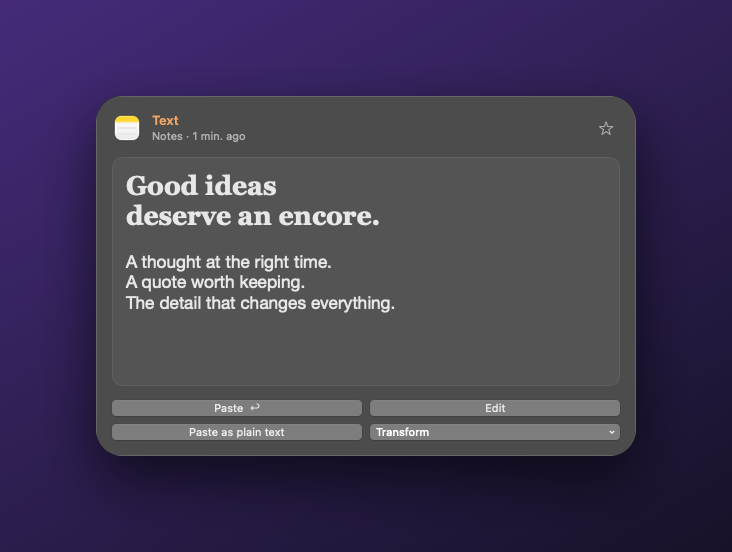
Not sure it’s the right one? Space opens a large preview above the card, for images, PDFs, rich text and code.
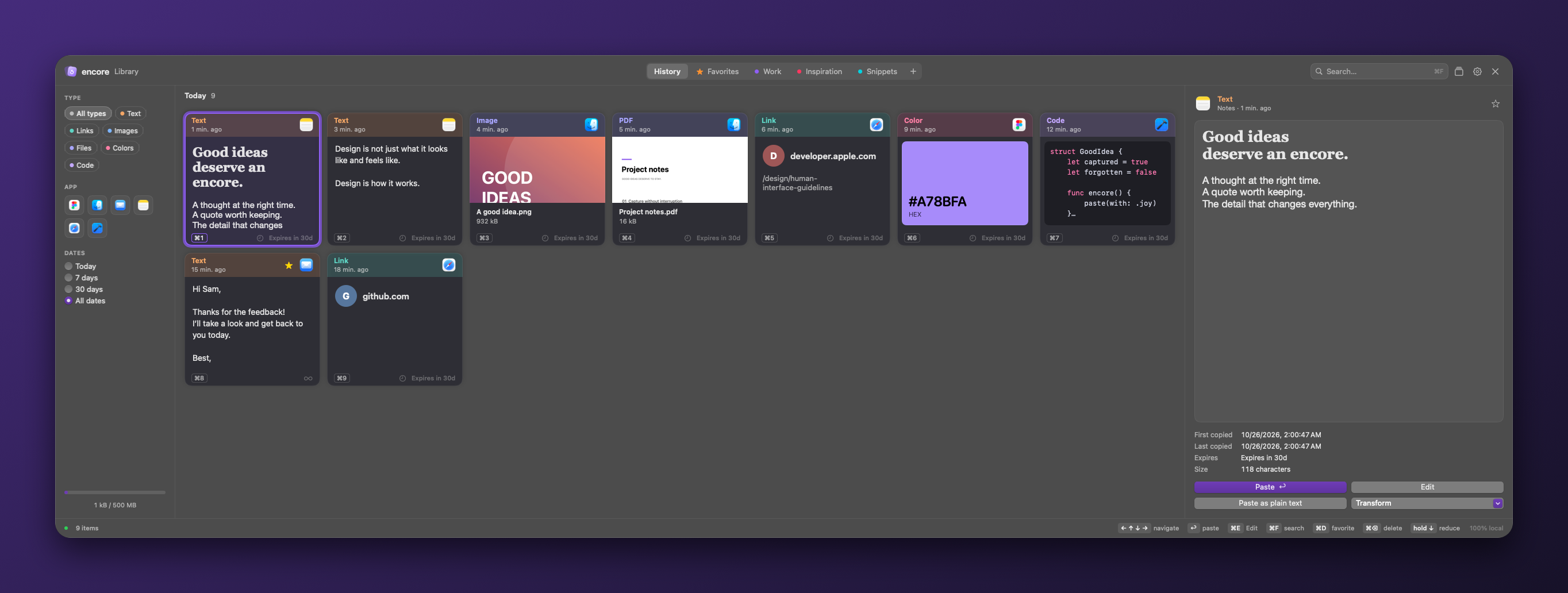
Press ↑ and the shelf grows into a full library: search, filters by type, app and date, and even the text inside your screenshots, recognized on your Mac. Hold ↓ to come back.
TextImagesFilesLinksColorsCode
Pair two Macs with a 6-digit code and browse each other’s recent history. The link is end-to-end encrypted and stays on your local network. No server, no account.
Rules by size and type let heavy files go quickly and keep your snippets. Every card shows how long it stays.
Screenshots you take with macOS land in your history, ready to paste.
Keep addresses and templates forever, and drag cards into collections.
No account, no telemetry. Password managers are excluded, and content that apps mark as confidential is skipped.
SwiftUI and AppKit, light and dark, 30 languages including right-to-left.
Signed updates install straight from GitHub releases.
FreeOpen sourceNo subscription
MIT licensed. The code is on GitHub, and every release is built in public by GitHub Actions.
encore is not notarized yet. The first time, open it from System Settings → Privacy & Security → Open Anyway.